|
What's new in 6.0?
- Item and detail templates now support RESPONSIVE web design
- New UI
- Adjusted to fully support changes in DNN 7.x, DNN 8.x, DNN 9.x (including DNN 9.2 specific patches)
What's new in 5.1?
- Improved performance -- Major new caching features for all database queries
- More efficiency -- Manage the User Data Feed scheduled task easily from within the control panel and module interface. Much quicker for reviewing any potential problems and kicking off the scheduled tasks from the control panel
- New Search Functions
- Ability to search User Roles, instead of just filtering by security roles
- New "Search All" field searches all user profile fields
- Better integration with Dynamic Forms -- hide the search and enable auto-search from query string variables
- Improved Template Options -- Use the new Gridview option instead of an HTML template. Using the Gridview option, you can choose which fields you want to appear on your template.
- Google Maps Integration
- Now includes integration with Google Maps using a map token within the header and footer.
- Use the Google Maps Location Integration within the Search function to limit results within a range of miles.
- All new DNN6 Style Sheet classes
What's new in 4.0?
- Display user images with more ease and options!
- Use the new [UserImage] token to render either the User Profile Image in DotNetNuke or an image uploaded through Dynamic Registration.
- Display images as a thumbnail, the full image or a thumbnail with a link to the full image.
- Pop up the full image from the thumbnail using jQuery Lytebox effect.
- Control height and width settings of your thumbnails.
- Select any of our default images or use your own as an alternate if the user does not provide an image.
- Important New Features for the Search Function
- By popular demand: Search criteria can now use the 'OR' operator, not just 'AND'
- Now use security roles as a search criteria (previous versions only allowed filters to include/exclude roles)
- Quickly narrow your results by using up to 2 sort order fields.
- Highly requested! Search using various date criteria.
- Select the right data type for your search field (Text, Datetime, Integer, or Currency).
- Random Display now lets you rotate your displayed users in random order.
- Use any of these new tokens in your template for additional details: [CreatedbyUserID], [LastModifiedByUserID]
- Display Who's Online
- Use a token to display if the user is online.
- [UserOnline] token will render images set for online or offline.
- Use our default images or choose your own.
- Generate and download a VCard for the user and keep current on this growing trend!
- New User Data Feed provides quick access to view and manage the module's scheduler and cache settings
What's new in V3.0?
- Extremely fast performance! Many R&D hours bear fruit with performance improvement over 400% using caching.
- Individual Detail Pages can now have its own SEO settings including custom page titles, page descriptions and keywords.
- New AJAX paging eliminates page refresh and works much better with SEO tools.
- Search fields can now be marked as 'required' with optional validation error messages.
- Search label suffix can now be set.
- Search button validation features allow you to define custom JavaScript function calls for endless validation options.
- Control Panel Quick Menu and Quick Edit icons offer improved admin interface.
- New lettered navigation now available to display results using an alphabetical search filter.
- Note: this version requires SQL Server 2005.
What's new in V2.5?
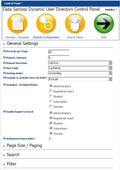
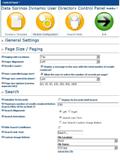
- New Administration Control Panel to easily manage the user directory template, the search fields, the results and more.
- Export to Excel features can be defined per security roles. This means that you can set up the ability to export results to Excel for administrators only.
- Hide search conditions dropdownlist - Search conditions such as 'Contains', 'Begins With', 'Not Empty' can be hidden.
- IPORTABLE Support - Dynamic User Directory now supports exporting and importing the directory templates and search fields.
- Optionally only display authorized users only.
- Define search field labels - Within previous versions you could setup the search field labels based on the profile property name only.
What's new in 2.4?
- Significant performance improvements related to retrieving the results. We have been running benchmarks and improved performance.
- Ability to allow the user to change the page size; also define initial page size, which page size options to show and more.
- New Maximum Number of results to retrieve - another performance option which will only render the first results.
- New option to now display the page numbers on the top, bottom, or both the top and the bottom of the results.
- New search localization features to allow the ability to localize search conditions (such as begins with, contains, etc.)
- New search localization features to allow the ability to localize search labels and fields
- Optionally display a results count to the user, showcasing the number of total results displayed along with the current page.
What's new in 2.2?
- New feature to include a 'Detailed' profile view. Now you can include a link within the item template to a detailed profile page.
- New features to include an image for search button instead of link and select the text or image you want to use.
- Works with all DotNetNuke Core and Extended Profile Fields
- New feature to optionally exclude certain roles from the user directory or only include certain roles.
- New search features: Search fields can now also be a dropdownlist or combo box of items that can either be defined manually or from a database query.
- New ability to export results to Excel if you are an administrator of the portal
What's new in 2.0?
- Dynamic User Directory works as either an add on to Dynamic Registration or as a standalone user directory.
- New 'Debug mode' for advanced users to tweak the directories filter and search criteria.
What's new in 1.2?
- Dynamic Search
- Administrator can set the dynamic fields, available search qualifiers (i.e. Begins with, Contains, etc.)
- Extended paging, sorting, and speed enhancements
- New support to allow for pictures to be included from the new Picture/Image field with Dynamic Registration.
Features:
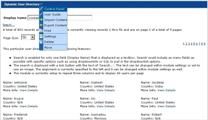
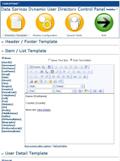
- Display as few or as many fields within the directory. The Administrator can create and easily modify the directory template.
- Item Template Example: Name: [Last Name], [First Name] Phone: [Home Phone] Type: [RegType]
- Set header/footer templates as well as an item template with the Rich Text Editor.
- Easily create separate user directories based on separate Dynamic Registration Modules. With Dynamic Registration you can build a directory per registration type.
- Don't need a directory? What about Reports? Dynamic User Directory can also be used for created custom reports.
- Set the sort order field (i.e. Last Name) for the directory, ascending or descending order.
- Preview your directory/report based easily from the administration module
- Set the number of records to display per page
|
|
Module Demonstrations
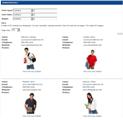
Directory w/ Pictures
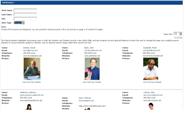
Extended Search
Screenshots
Customized Layout
Manage User / Detail Template
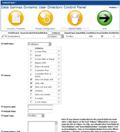
Module Configuration
Search Configuration
Unlimited Search Fields
Include Pictures
Multiple Search Options
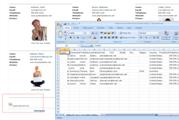
Export to Excel
        |