MegaForm MVC AI 2.0.69 — Native MVC forms for DNN
Build contact forms, applications, registrations, payment forms and data-driven workflows from one visual workspace. Start with the Wizard, customize a gallery template or use the AI assistant, then manage forms and submissions directly from the DNN Persona Bar.
Native MVC, tested on today's DNN
The MegaForm MVC frontend has removed its dependency on ASCX controls, ViewState and the WebForms control lifecycle. It has been tested successfully with the current DNN MVC Pipeline preview, including native page rendering and saved submissions.
MegaForm also runs on stable DNN 9.13 and DNN 10. Its MVC module can coexist with existing WebForms modules on a stable DNN site. The MVC Pipeline preview remains a preview of the DNN platform; a compatible MVC page and theme are required for that pipeline.
Explore the live gallery | Read the documentation | Follow the practical How-to tutorials
Sample gallery: different designs, one form builder
Explore event registrations, multi-step applications, patient intake, brochure layouts and illustrated forms. These are original gallery previews; open a sample to try its live DNN form. Use the Wizard or Builder to adapt fields, blocks, wording and styling.
Browse all 73 live gallery demos →
What's new in 2.0.69
- A more complete Wizard: configure field and widget properties before creating a form; edit template blocks, fields, steps and layout while retaining the template's design.
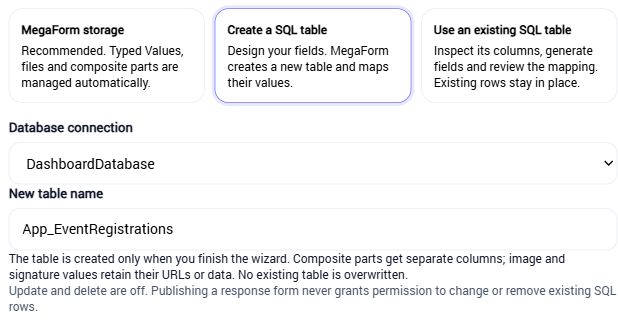
- Choose where data lives: use MegaForm's typed submission storage, create a SQL table or start from an existing table. Existing-table forms default to reading and adding records; enable editing and deletion separately.
- Validation that explains the problem: compare arrival and departure dates, display a clear field error and enforce the rule on the server. Calculators can wait for valid source fields before showing totals.
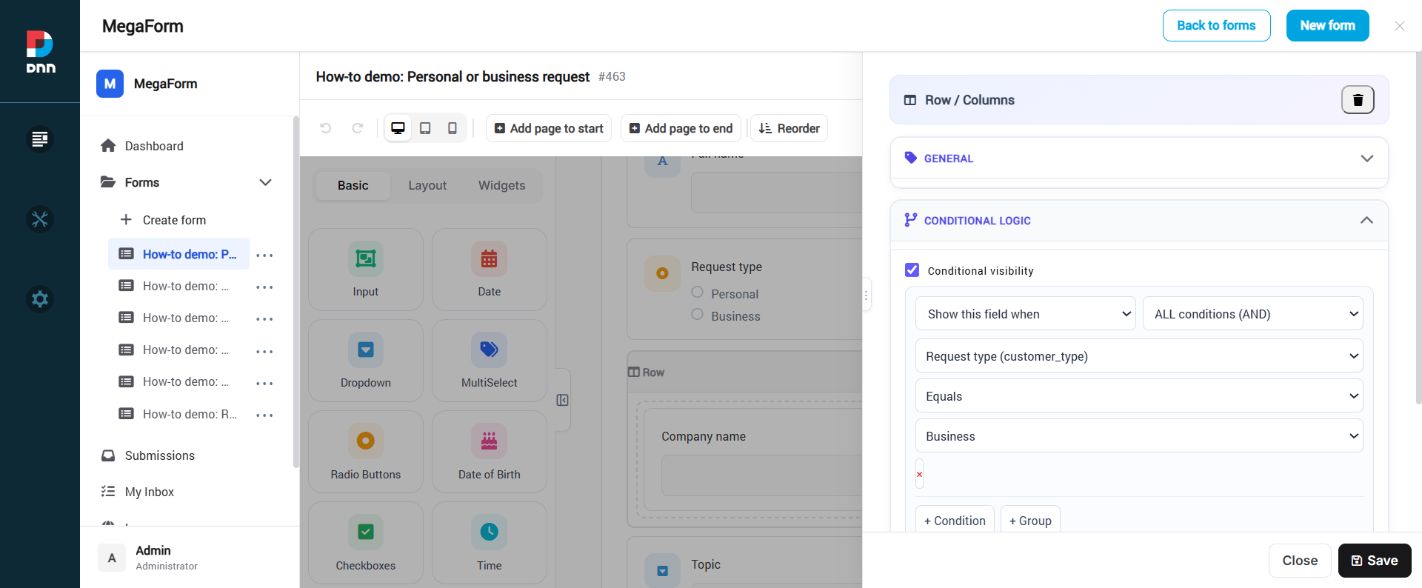
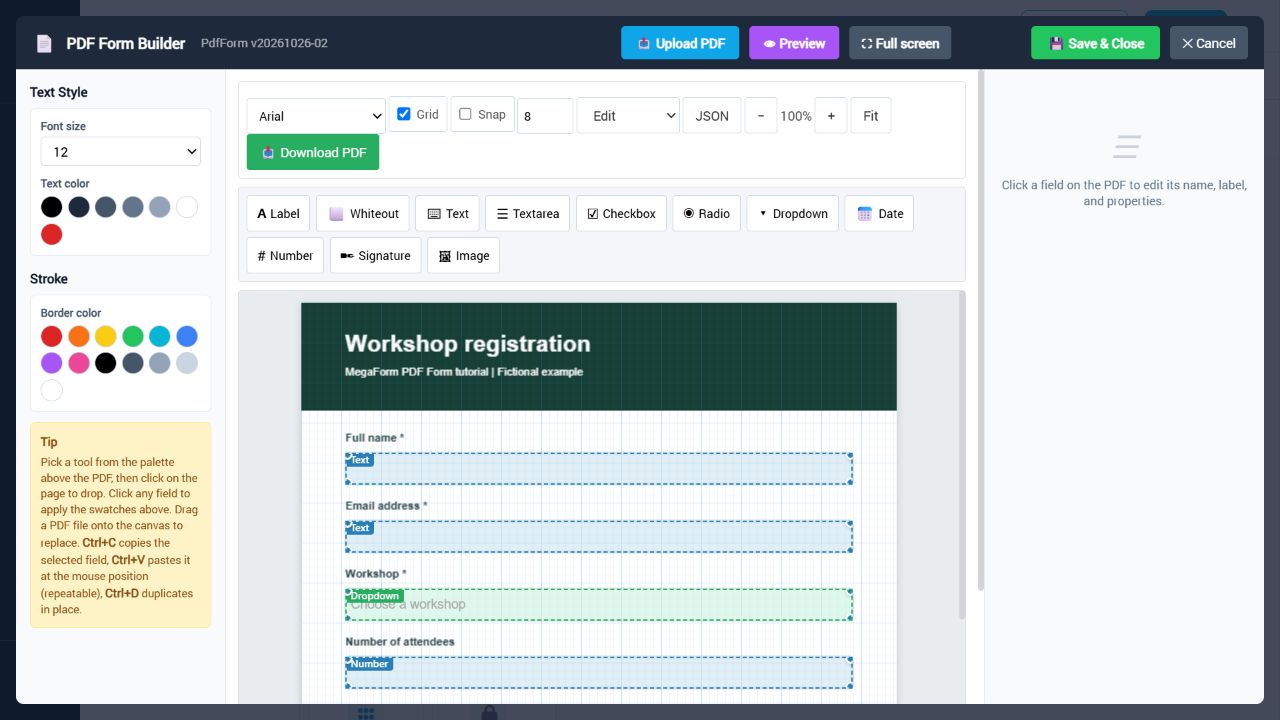
- Better PDF and conditional forms: improved PDF input alignment, zoom and final-value handling, with condition editing for both individual fields and groups.
- A clearer administration workspace: redesigned HTML token editing, consistent Languages navigation, dashboard loading improvements, entry counts and workflow retry results based on the actual execution outcome.
- Examples you can adapt: 20 illustrated How-to tutorials, eight downloadable form starters, PDF and SQL examples, and C#/Razor samples for reading typed submissions.
Build your form, your way
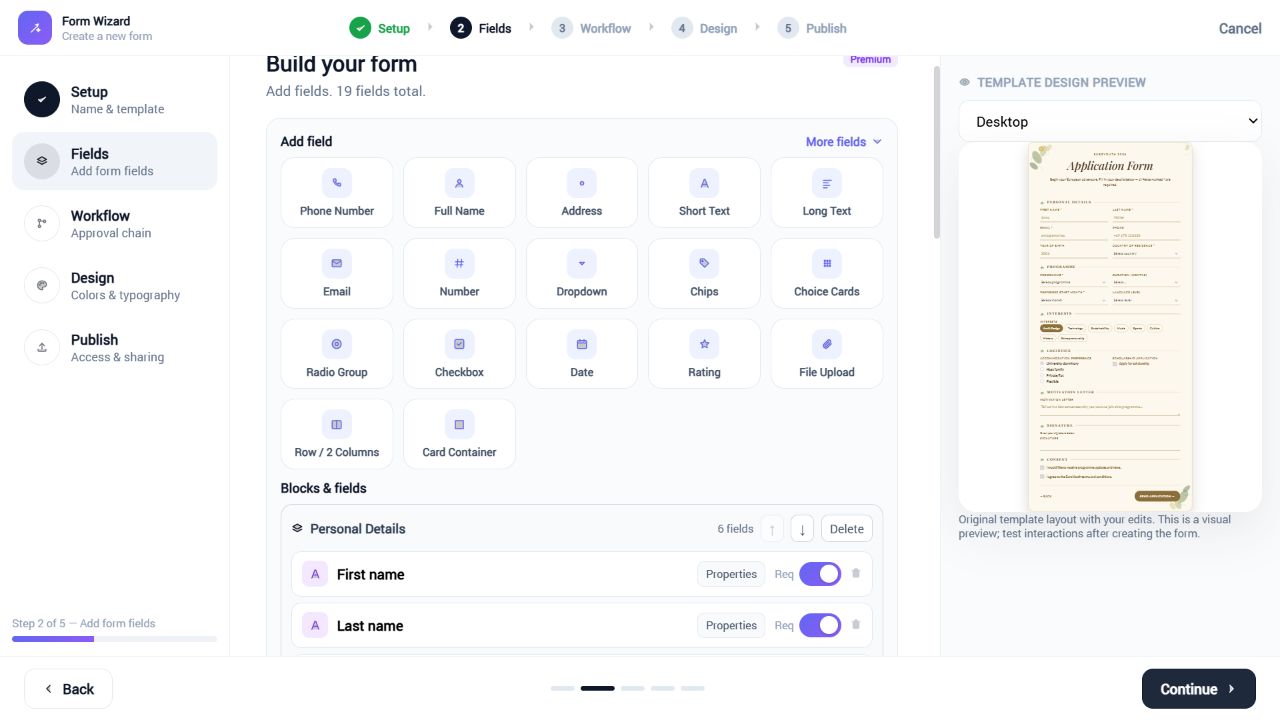
The Wizard guides you through setup, fields, workflow, design and publishing. Use standard inputs or composite fields such as Full Name and Address, then configure validation, options and conditional visibility. Gallery templates provide an authored design that you can refine in the Wizard or Builder.
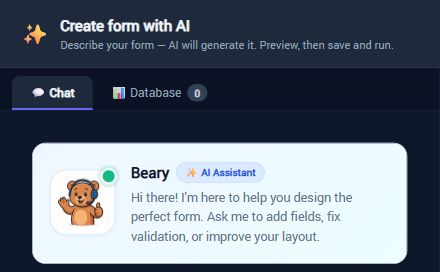
AI-assisted creation and editing. Describe a form, work from a template or refine the current design. The assistant updates fields, rules, options, layouts, workflows and SQL mappings through the builder's structured operations. AI features require a valid MegaForm license and your own provider configuration.
Connect data and automate what happens next
- SQL integration: named server-side connections, SQL and stored-procedure options, cascading dropdowns, table-backed forms and field mappings.
- Workflow automation: email, web requests, database actions, review tasks and role routing. Inspect the failed step and attempt history before retrying it.
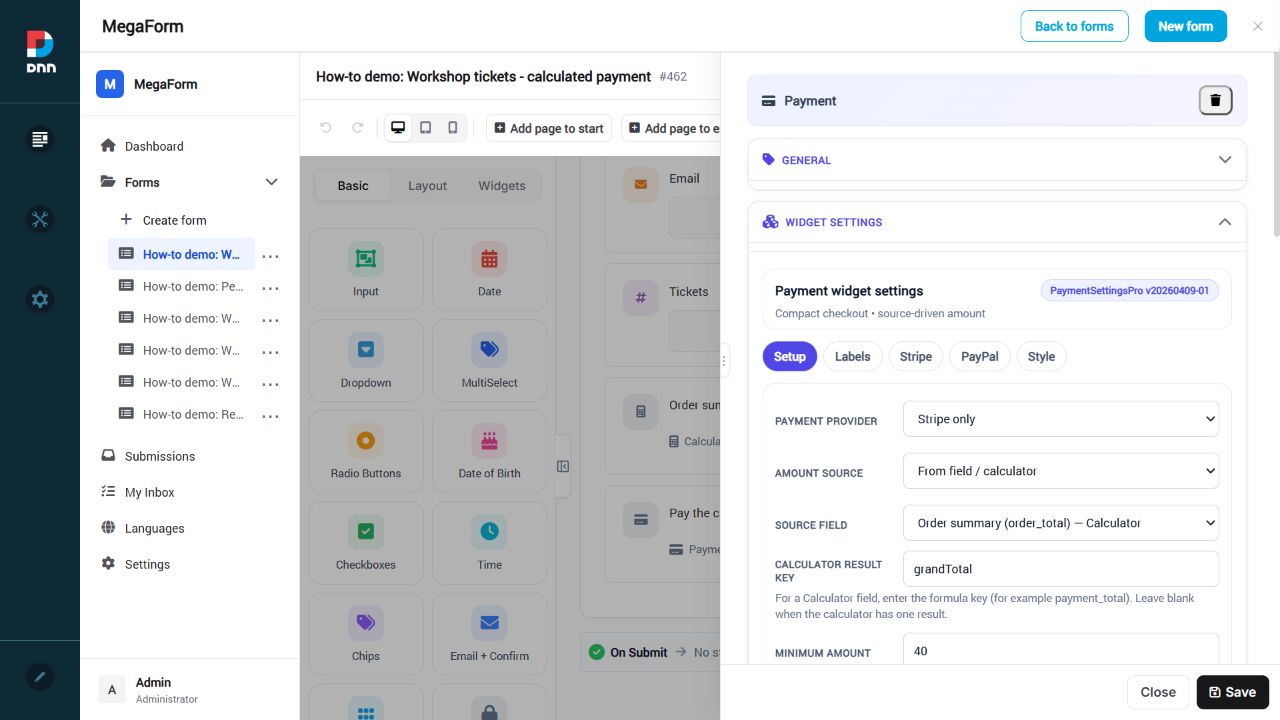
- Calculated and payment forms: calculate quantities, subtotals and totals, then connect your configured payment provider. Use sandbox merchant settings when testing.
- Submission management: paging, filtering, export, dashboards and permissions by user, role and submission scope.
- Languages: select an interface language, add a locale, edit missing strings and import or export translation JSON.
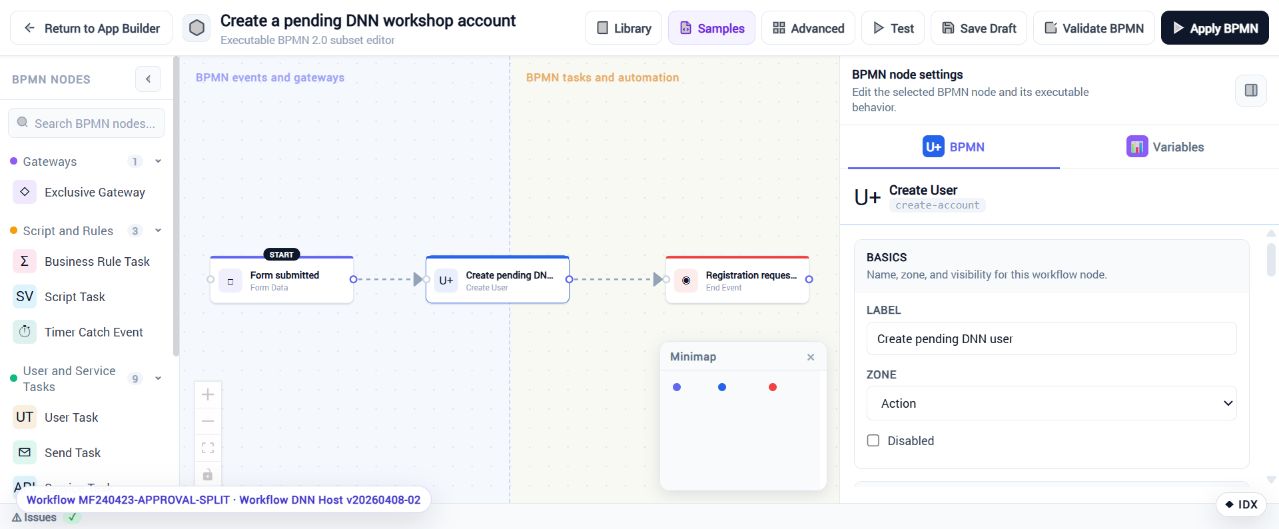
Registration workflows, conditional groups and calculated payments
Connect a registration form to DNN account creation, show or hide an entire group with conditions, and use a calculator result as the payment amount.
Build PDF forms and read typed submissions
Place input overlays over a real PDF using the PDF Form widget. For custom displays, the C#/Razor samples demonstrate how to read typed values, composite fields, uploaded files, images and signatures without manually parsing a submission DataJson blob. Adapt the downloadable samples to your own forms and access rules.
Open the C#/Razor guide and sample downloads
For custom automation, the optional C# after-submit engine exposes typed submission reads and a run log. Server-side script authoring is disabled until the host enables it, and scripts require host approval.
Practical How-to tutorials
Follow illustrated, step-by-step examples and adapt the downloadable starters to your own forms.
Workflows and registration
Calculations, payments and PDF
Try MegaForm 2.0.69
Trial: up to 10 forms per site and 25 submissions per form. AI Form Designer and installing premium online-gallery templates require a paid license. Neither trial installer contains an activation file.
Choose the installer for the frontend you want to evaluate. Each download is a standalone DNN installation package; upload the downloaded ZIP directly through DNN Extensions → Install Extension. The two installers are provided separately.
Installation and upgrades
Requirements: DNN 9.13+, DNN 10+.
Existing MegaForm installations: upgrade an older monolithic MegaForm installation with the matching ASCX installer before adding MVC. Both frontends use the same shared engine. Installing the MVC package does not automatically replace existing modules on pages. Test upgrades on a staging copy first.