Introduction
EzDashboard is a comprehensive, integrated analytics and administration solution built for DNN. It brings essential site information into a single, easy-to-understand workspace for administrators. Traffic and visitor behavior, user status, administrative changes, security events, database health, and file changes are presented through practical charts and reports, giving teams a clear view of their portal without switching among multiple tools or management areas. All data collection, processing, and storage take place within the DNN environment. No external analytics service, such as Google Analytics, is required. EzDashboard is designed for high-traffic sites and large data volumes, using intelligent processing and data preparation to deliver reports quickly and reliably. Administrators get accurate, up-to-date information for ongoing monitoring and more effective portal management.
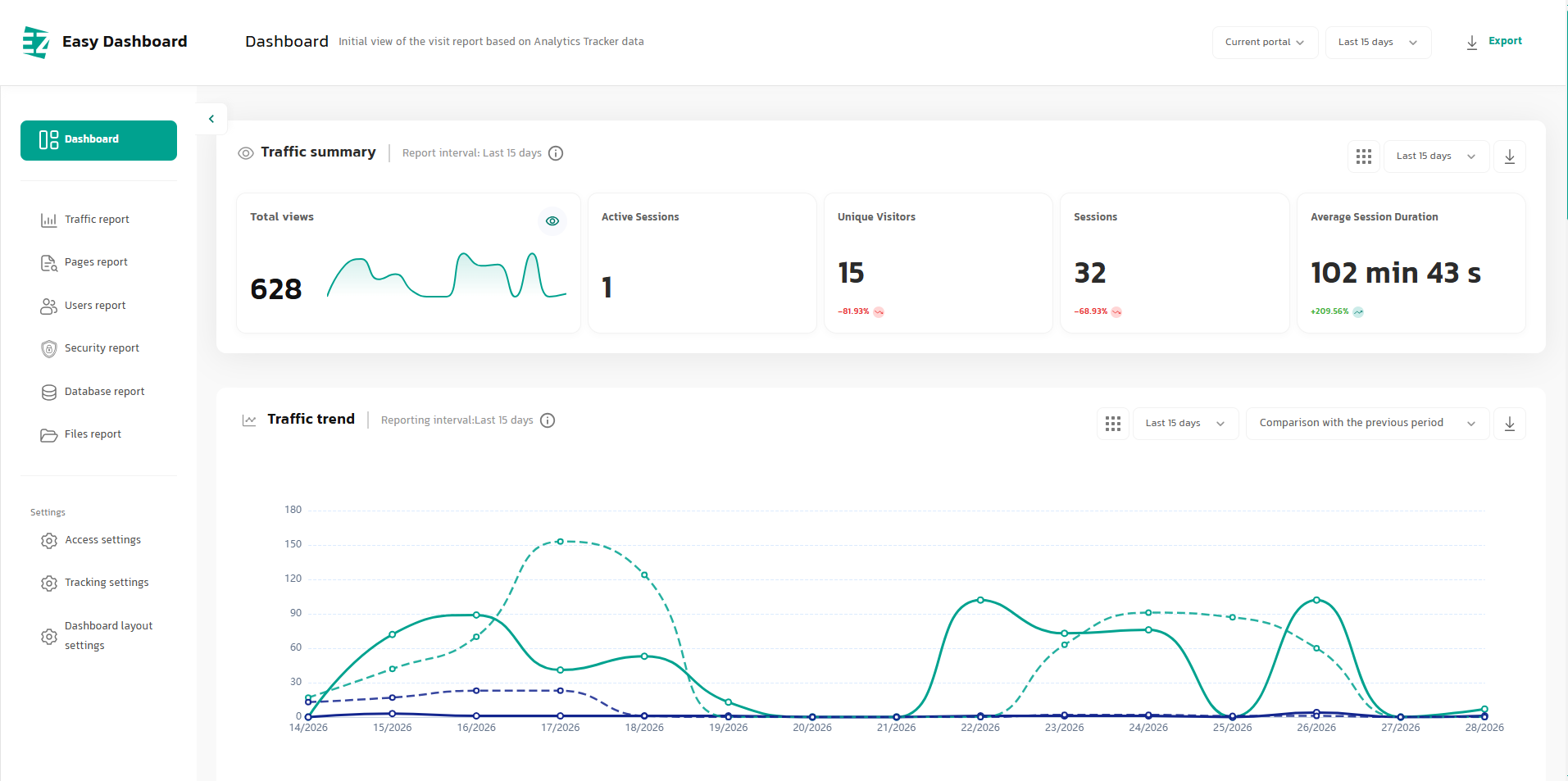
Key Features:
- Native DNN integration with no external analytics service required
- Traffic analytics, administrative reporting, security monitoring, and technical health data in one interface
- Engineered for high-traffic sites and large data volumes
- Widget-based architecture with dashboard personalization by Portal, Role, and User
- Designed for speed, reliability, scalability, and organizational data independence
- Advanced date filtering with custom ranges and period-over-period comparisons
- Export reports and charts to PNG, PDF, CSV, and Excel
1. Management Dashboard & Traffic Analytics
EZ Dashboard gives administrators a comprehensive snapshot of site activity in seconds. Key traffic metrics, visitor behavior, and page performance are presented in a single visual workspace, without requiring manual report exports or switching between multiple tools. Administrators can start with a high-level view, then drill into trends, top pages, visitor technology, or the behavior of a specific page.
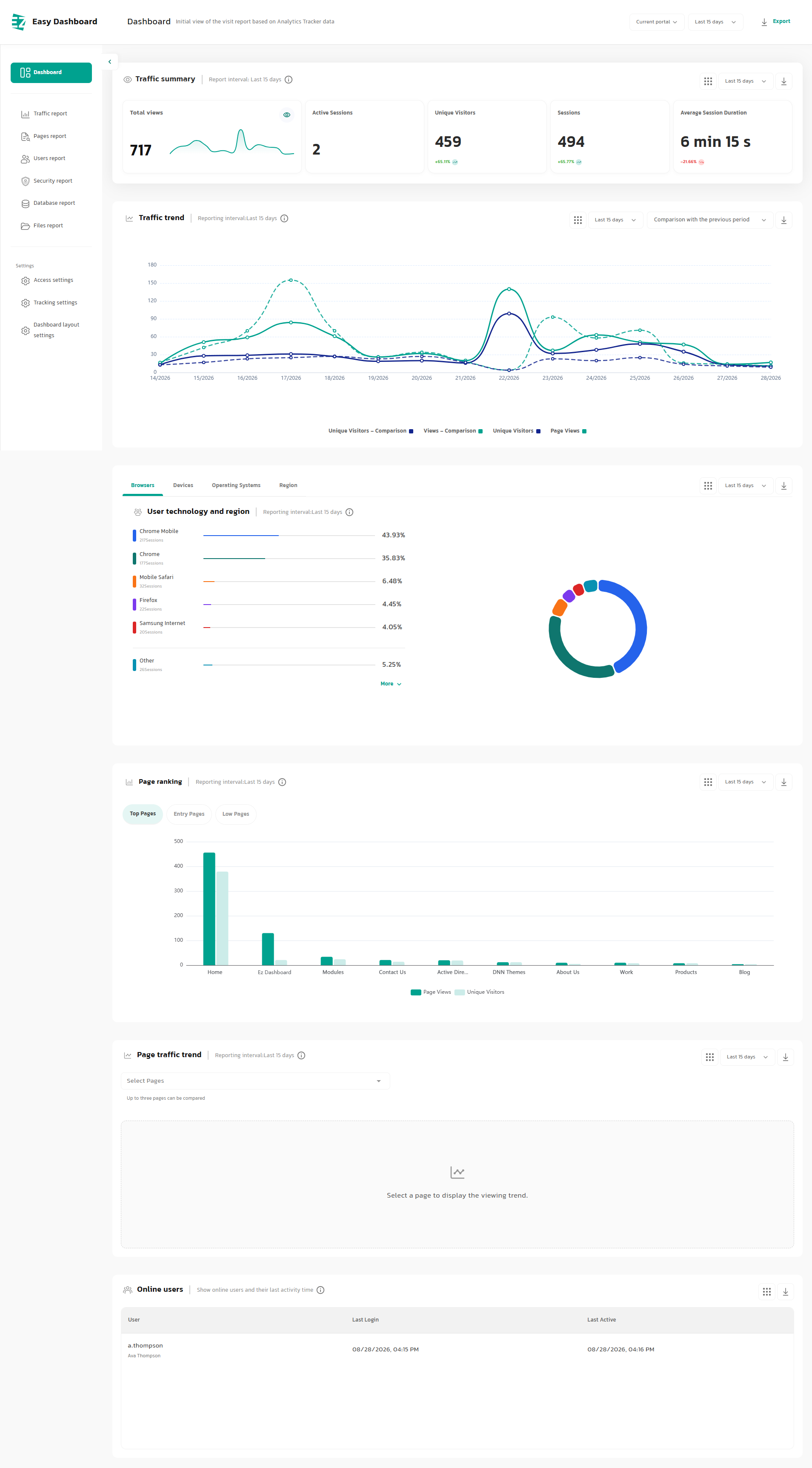
This section is designed to answer the most important operational questions quickly: How many people visited the site? How many visits were recorded? Which pages received the most traffic? Which browsers and devices are visitors using? Is traffic increasing or declining? And who is active on the site right now?
Dashboard Features:
- Customize the dashboard with multiple Widgets
- View total Sessions
- View active Sessions
- Compare key metrics with the previous period
- Compare traffic trends, unique users, and previous-period values
- View the share of users by technology or platform
- Review top pages, landing pages, and related page metrics
- Select a custom reporting date range
- View total visits for the selected period
- View the number of unique users
- View average time on site
- Analyze traffic trends with time-series charts
- Analyze visitors by browser, operating system, device, and region
- Rank pages by traffic volume
- Review the traffic trend for a specific page
- View online users and their most recent activity
- Access analytics without relying on Google Analytics or other external services
2. User Reports
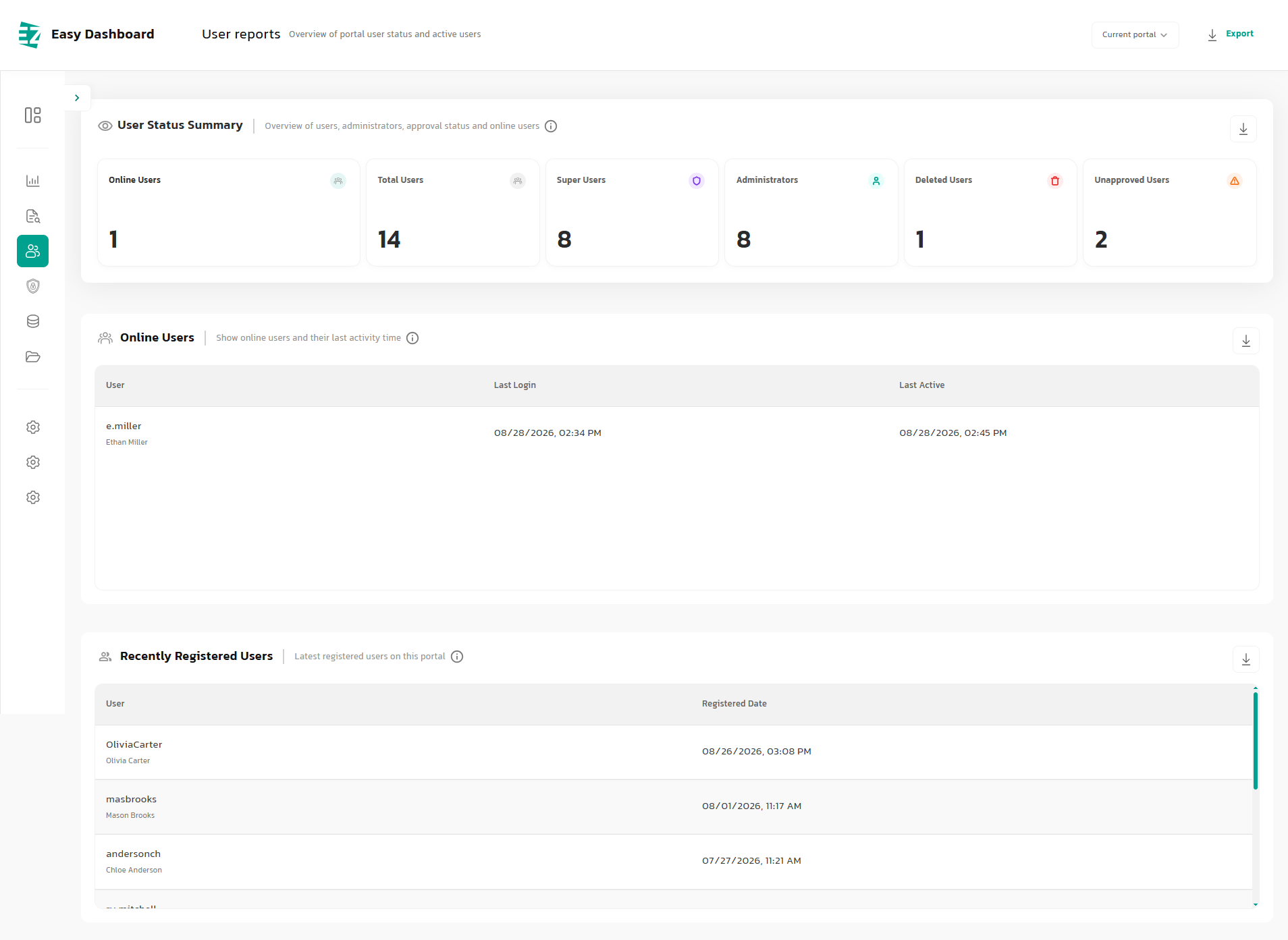
For an enterprise portal, knowing the total number of users is not enough. Administrators also need to know how many users are active, who is currently online, which accounts have been deleted or remain unverified, and when the latest registrations occurred. EzDashboard retrieves this information from DNN's internal user data and presents it in a consistent management view.
This is especially useful for portals with large user populations, multiple administrators, or high-volume registration workflows. Instead of checking several administrative areas, teams can review the overall status of the user community from a single page.
User Report Capabilities
- View the total number of users
- View the number of users currently online
- View the number of administrator accounts
- View the number of SuperUser accounts
- View the number of deleted users
- View the number of unverified users
- Review the list of online users
- View each user's most recent login time
- View each user's most recent activity time
- Review recently registered users
- View registration dates for new users
- Get a quick overview of portal account status
- Designed for enterprise portals with large user bases
3. Security & Administrative Activity
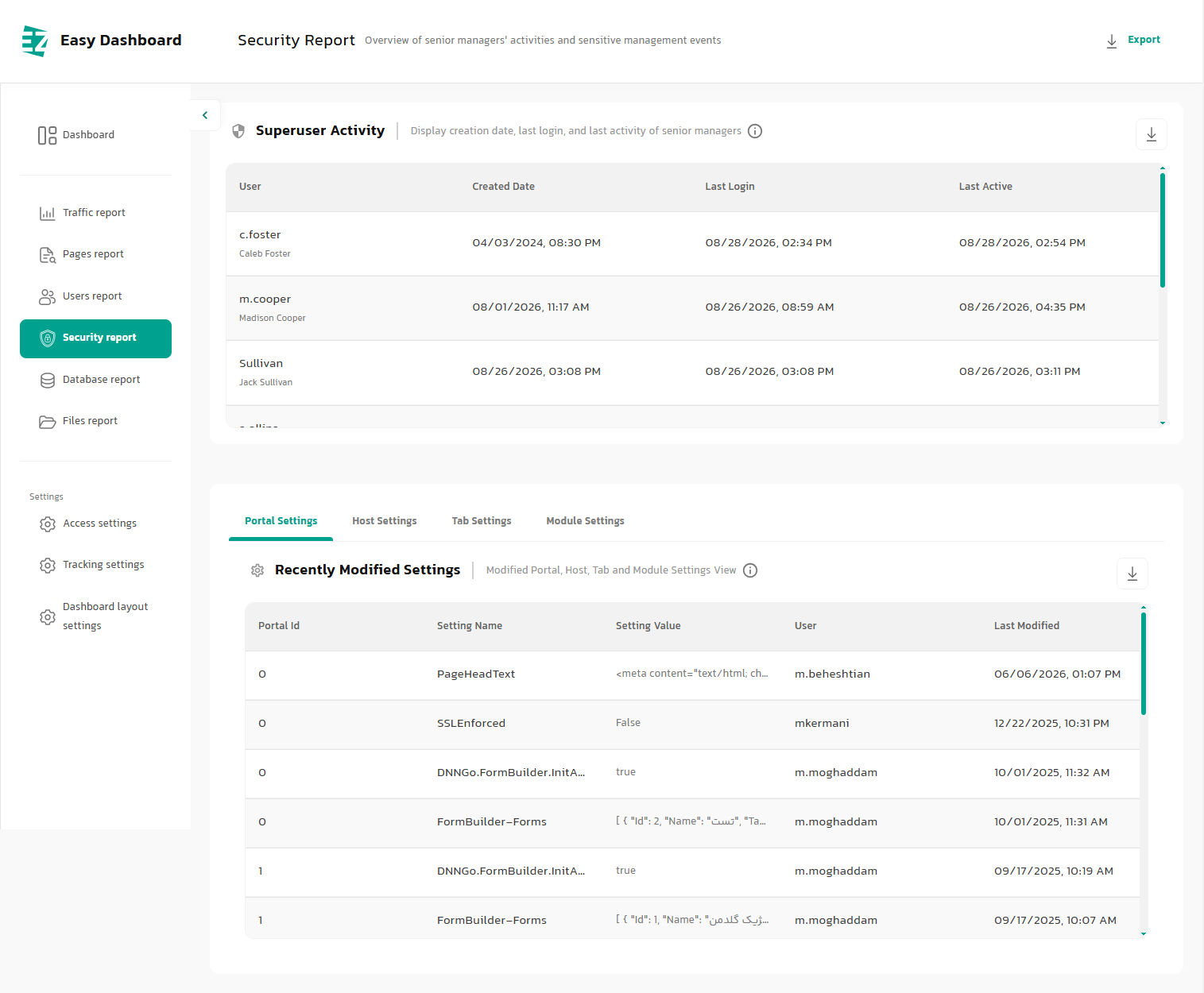
A common challenge in managing large systems is that sensitive changes may not be noticed until their impact becomes visible. EzDashboard provides a centralized view of administrative activity and sensitive configuration changes, making it easier to review important events within DNN.
This section shows administrator activity and changes to important Portal, Host, Tab, and Module settings. Technical administrators and security teams can quickly determine what changed, when it changed, and which user made the change. This is valuable for troubleshooting, change control, and reviewing suspicious or unexpected activity.
Security Report Capabilities
- View administrator account creation dates
- View recent administrator activity
- Review changes to Portal Settings, Host Settings, Tab Settings, and Module Settings
- View configuration values
- Record the time of the most recent change
- Simplify troubleshooting after configuration changes
- Review SuperUser activity
- View administrators' most recent login times
- Record and display DNN configuration changes
- View the name of each changed setting
- Identify the user who made each change
- Help identify unwanted or unexpected changes
- Provide an audit-focused view of administrative activity
4. Database Reports
The database is at the core of every platform, and uncontrolled growth can gradually reduce performance, increase maintenance costs, and make support more complex. EzDashboard turns technical database information into an understandable management report, reducing the need to work directly with complex tables and SQL queries for routine checks.
Administrators can see the total database size, data-file usage, log-file usage, and table count at a glance, then rank tables by size or row count. This information helps identify tables that are growing abnormally, data-heavy modules, and potential sources of performance degradation.
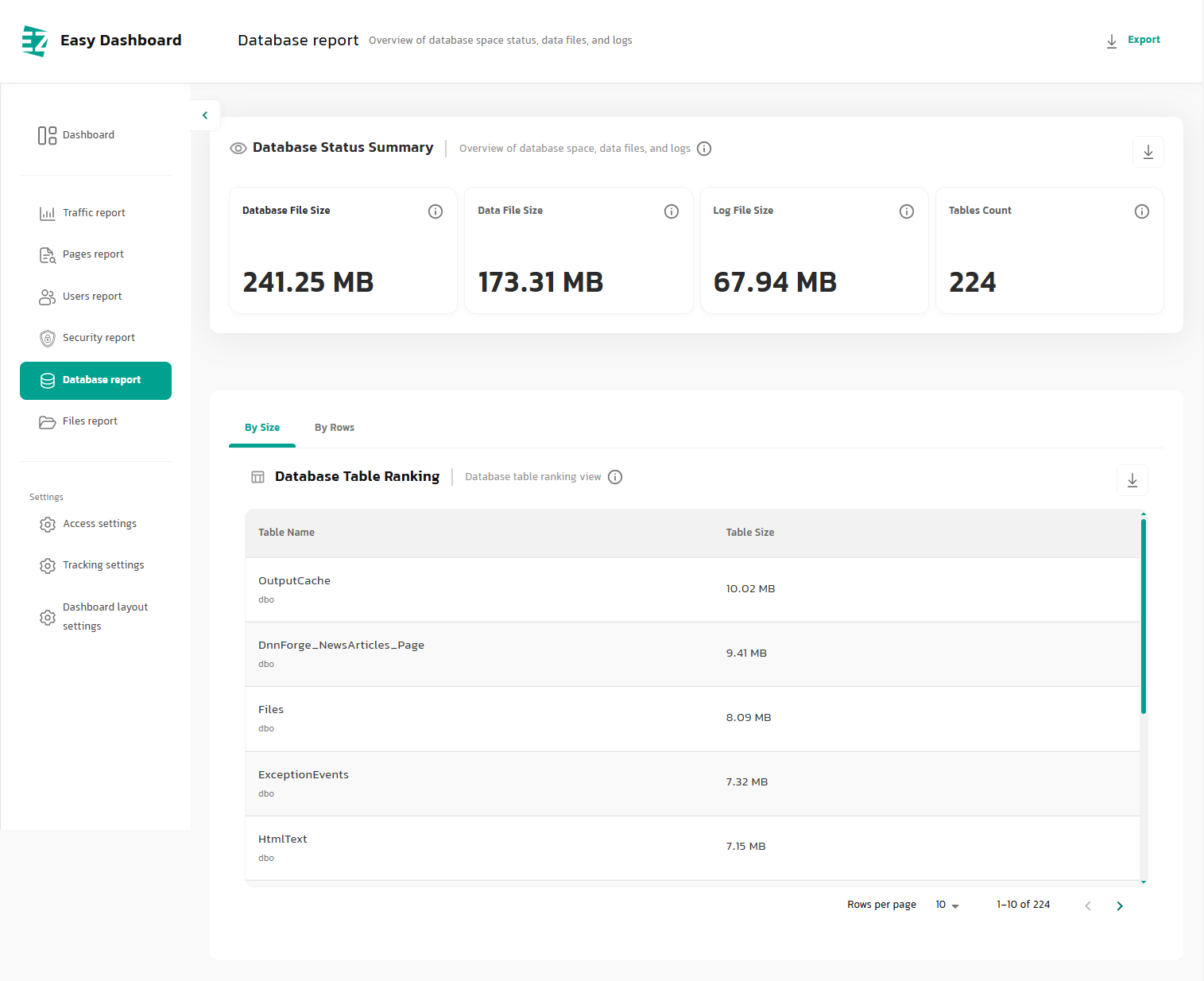
Database Report Capabilities
- View total database size
- View Data File size
- View Log File size
- View the number of database tables
- Rank tables by row count
- View the storage used by each table
- Support routine database health monitoring
- Well suited to large sites and data-intensive modules
- Rank tables by size
- View table and Schema names
- Identify tables with abnormal growth
- Support Maintenance and data-cleanup planning
- Reduce the need for manual SQL queries during routine reviews
5. File Monitoring
In a web application, a change to a sensitive file may be the result of a routine update, an administrator action, or, in some cases, a security event. EzDashboard monitors important portal files so that changes to the file system do not go unnoticed.
The report shows modified files together with their paths and last-modified times, and files can be categorized by sensitivity. High-impact files such as web.config, executable files, and system files can therefore be reviewed more quickly when changes occur.
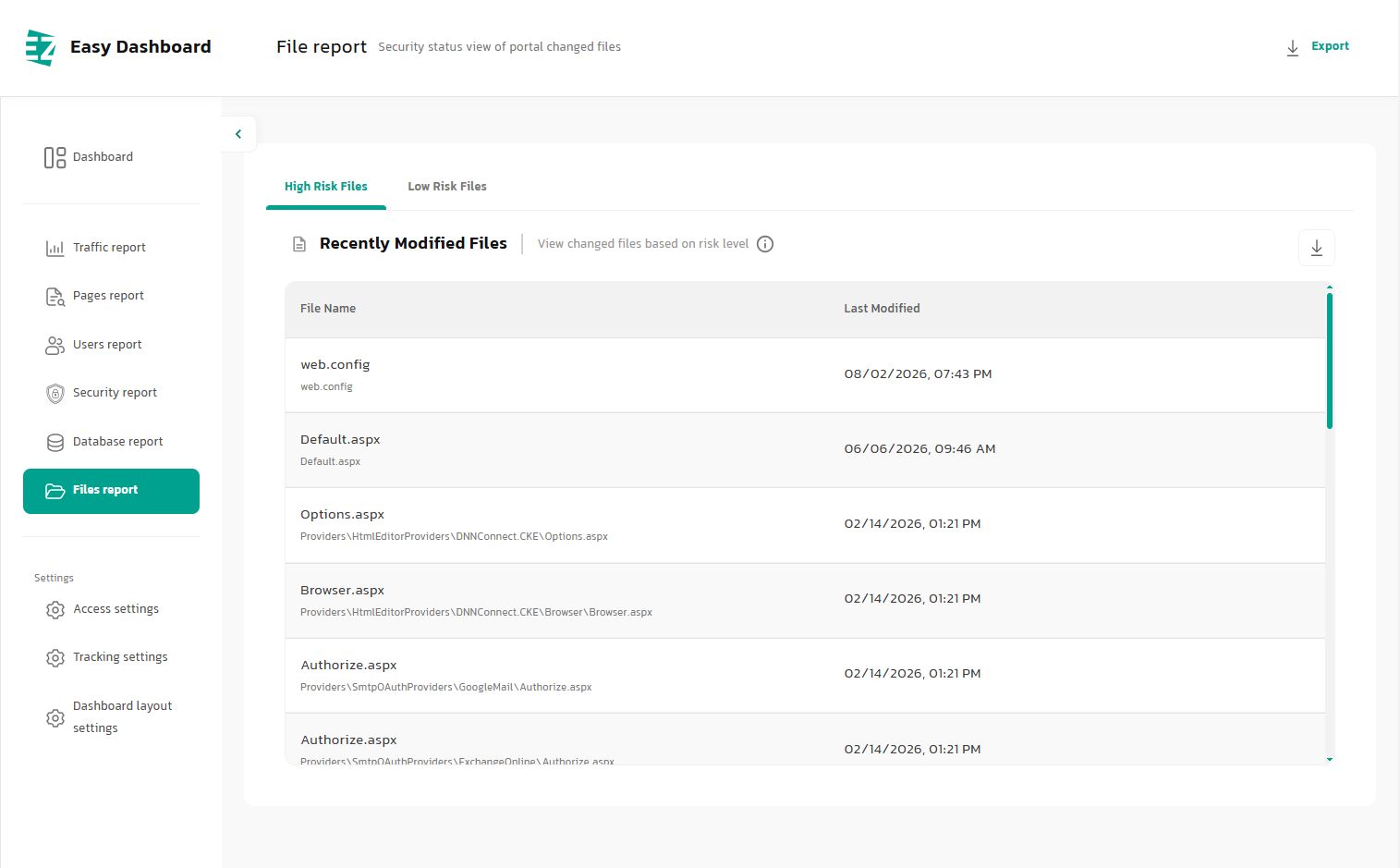
File Report Capabilities
- View file names
- View last-modified times
- Separate lower-risk files
- Help identify unexpected changes
- Simplify security-event investigation
- Reduce the time required for manual file reviews
- View recently modified files
- View file paths
- Separate higher-risk files
- Gain quick visibility into File System changes
- Review sensitive DNN and ASP.NET files
- Help correlate file changes with Update or Deploy activity
6. Access Control Settings
An enterprise dashboard is most valuable when it shows the right information to the right people. EzDashboard includes a flexible access-management system that controls the visibility of dashboard pages and sections by User and Role.
Not every administrator needs access to all technical, security, or management information. Appropriate access levels can be defined for each user group, and individual pages can be enabled for specific Portals. This makes EzDashboard easier to use in enterprise environments with layered administrative responsibilities.
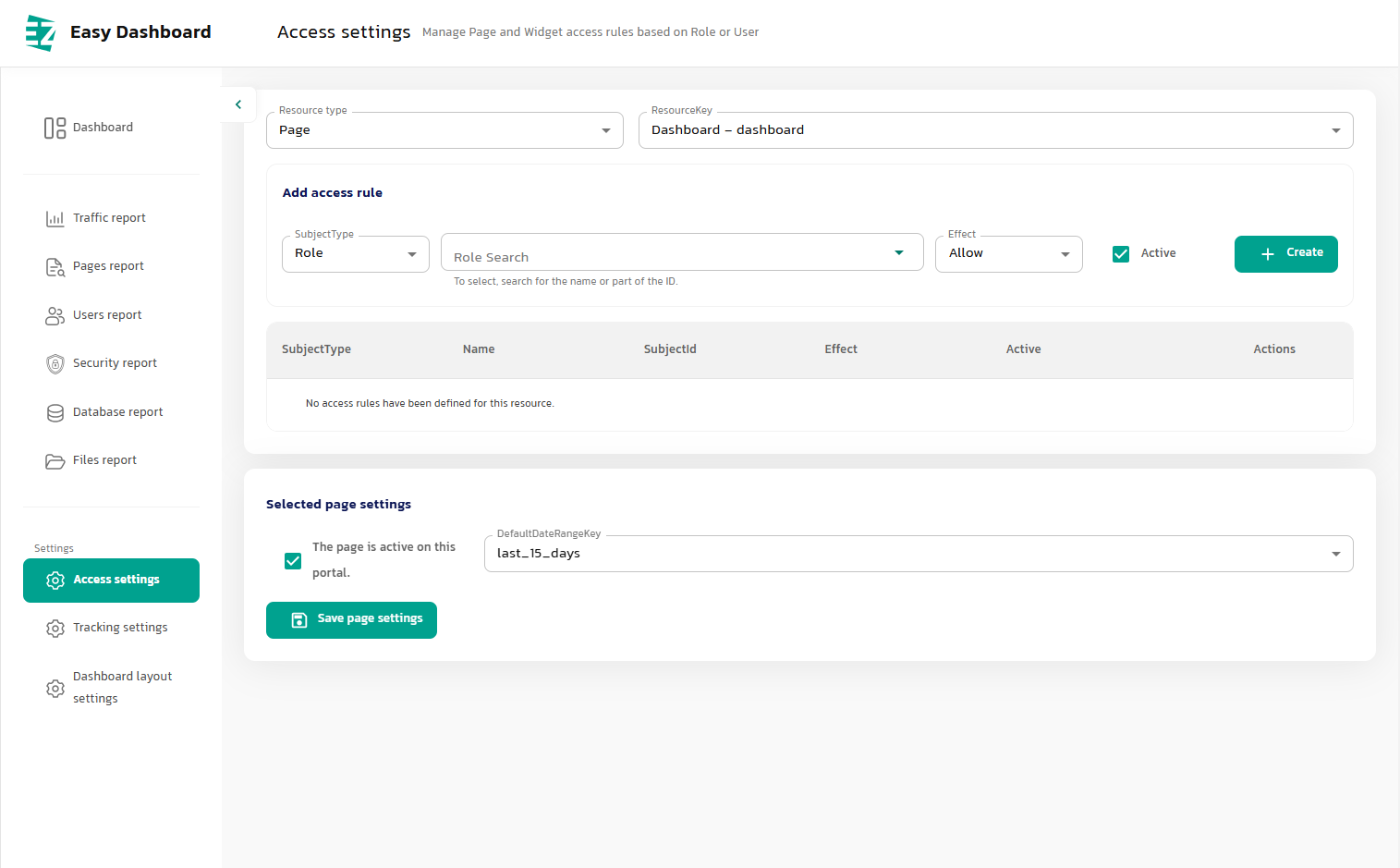
Access Control Options
- Define access by User
- Apply access rules to Widgets
- Enable or disable access rules
- Manage access independently for different dashboard areas
- Define default page settings
- Prevent unauthorized users from viewing sensitive information
- Define access by Role
- Manage access at the Page level
- Define Allow / Deny policies
- Select the Resource to which a rule applies
- Control page availability for each Portal
- Support multi-level administrative structures
- Separate access for technical administrators, content managers, and organizational managers
7. Tracking Settings
The strength of an analytics system depends on more than its charts; data collection and retention are equally important. EzDashboard's Tracking engine can be configured to match the type of site, traffic volume, organizational policies, and available infrastructure.
Administrators can choose which user types are tracked, how long Sessions remain valid, how long raw data is retained, the lifetime of visitor Cookies, and which Roles or pages are excluded from data collection. This level of control allows Tracking behavior to adapt to the actual requirements of each portal instead of operating as a fixed, one-size-fits-all system.
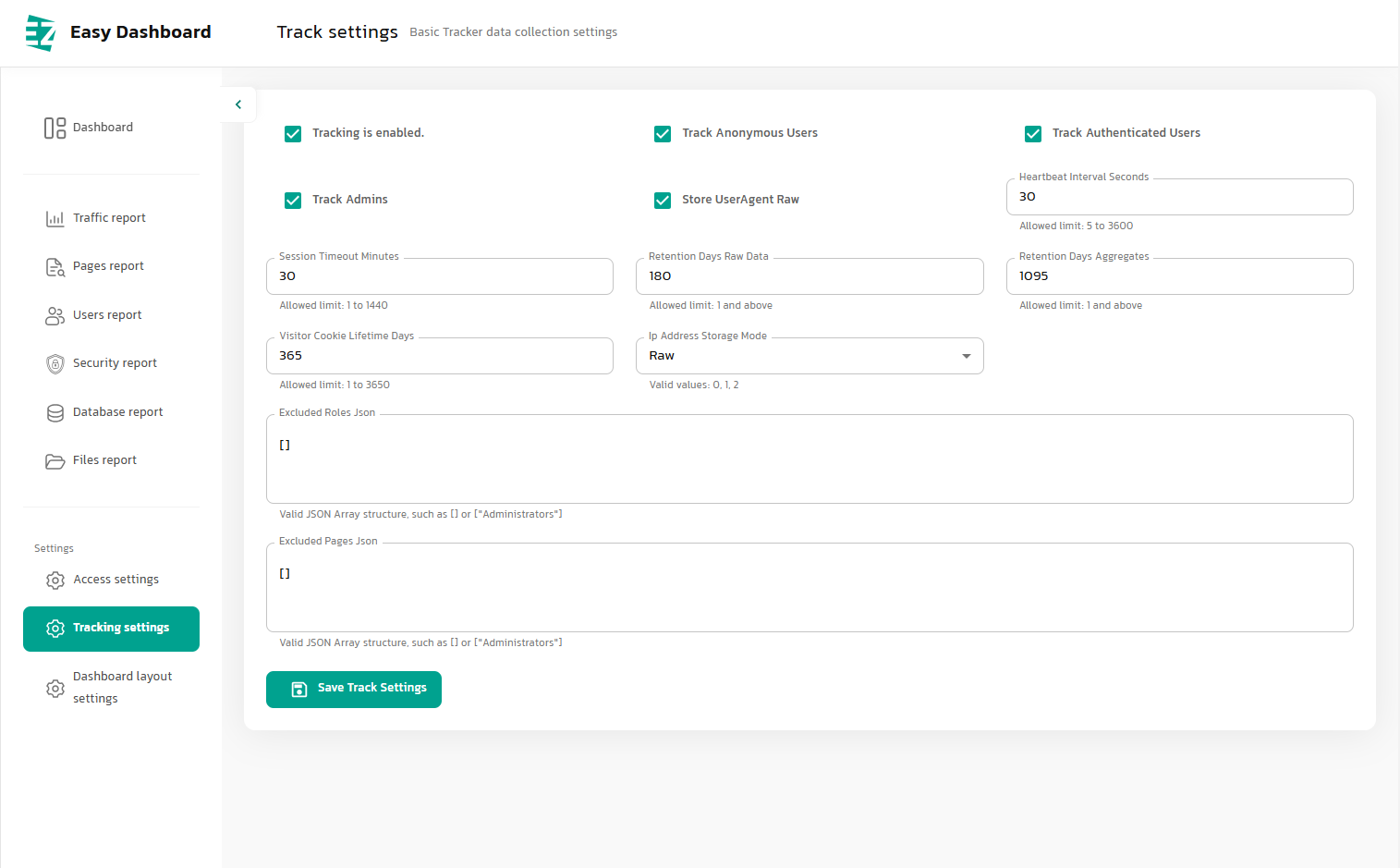
Tracking Configuration Options
- Track Anonymous users
- Track administrators
- Configure Session Timeout
- Configure Raw Data retention
- Configure how IP Addresses are stored
- Exclude selected Roles from Tracking
- Configure Retention to manage data volume
- Balance analytics detail, data volume, and system performance
- Enable or disable Tracking globally
- Track Authenticated users
- Configure the Heartbeat Interval
- Configure visitor Cookie lifetime
- Configure Aggregated Data retention
- Store raw User Agent data when needed
- Exclude selected pages from Tracking
- Scale from smaller sites to high-traffic portals
8. Dashboard Layout Settings
Different administrators need different information. An executive may only need a few high-level KPIs, a content manager may focus on page performance, and a technical administrator may need user, database, and security data. EzDashboard addresses these different needs with a Widget-based system for dashboard design and personalization.
Administrators can select the Widgets they need, control their order, and define different layouts by Portal, Role, or User. EzDashboard is therefore not a fixed dashboard; it can become a focused workspace tailored to each user's responsibilities.
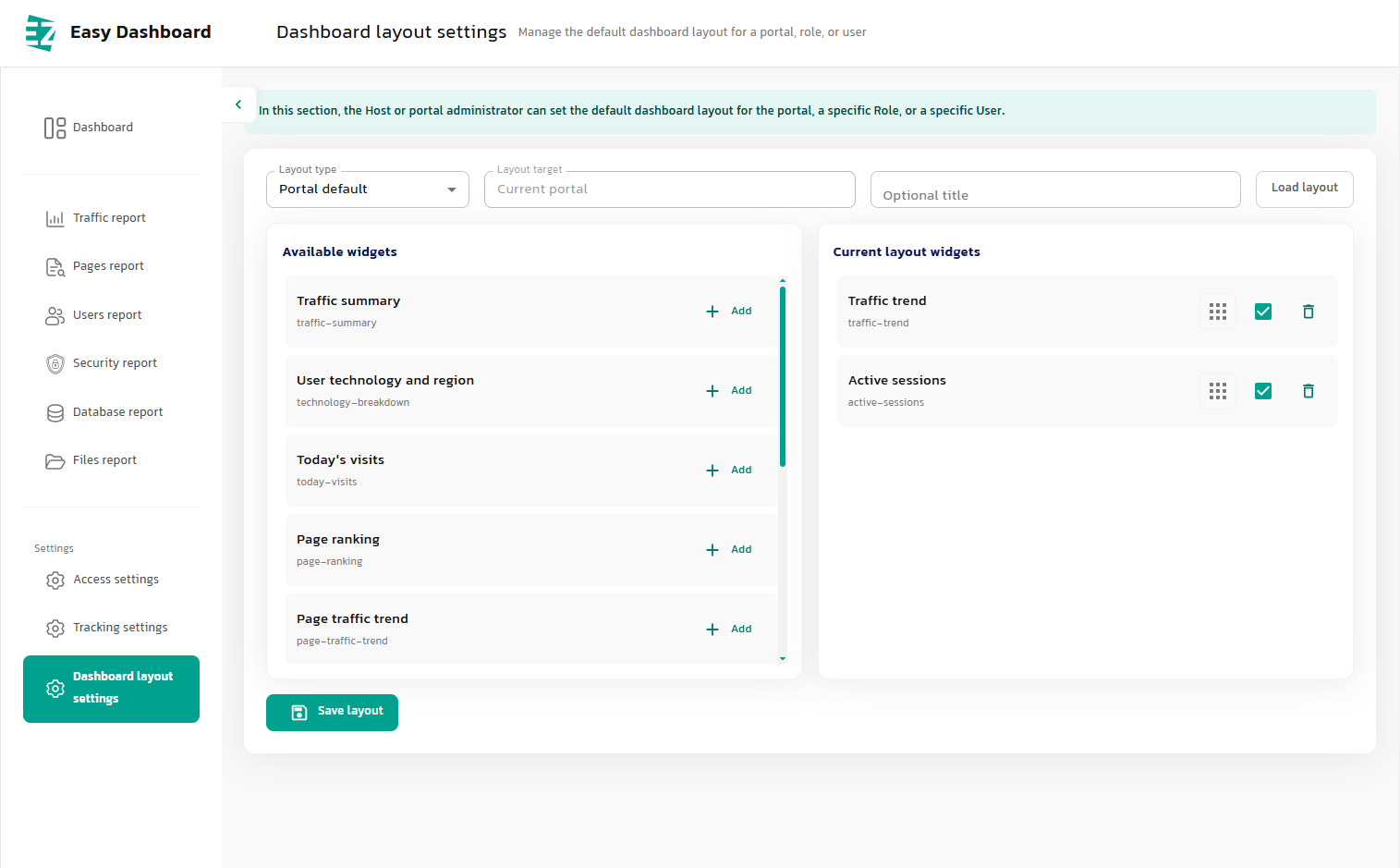
Layout Capabilities
- View the list of available Widgets
- Remove unnecessary Widgets
- Change the order of dashboard Widgets
- Define a default layout for each Portal
- Create a dedicated layout for an individual User
- Add new Widgets in future product updates
- Reduce clutter by hiding unnecessary information
- Use a Widget-based architecture
- Add Widgets to the dashboard
- Enable or disable Widgets
- Save custom layouts
- Create layouts by Role
- Maintain multiple layouts for different requirements
- Build management dashboards aligned with each person's responsibilities
Live Demo
Live Demo
Catalogue
Catalogue
License
| Standard Edition |
The Standard Edition license allows you to use the module on one dnn installation with unlimited domains/sub portals. |
| Unlimited Edition |
The Unlimited Edition license allows you to use the module on unlimited dnn installations with unlimited domains/sub portals. |
| Unlimited + Source Edition |
The Unlimited Edition license plus c# source code. |