| Quick Links |
| Download the free 30-day, fully functional trial. Install the package from the DNN Extensions menu. |
| See the documentation (PDF) for the current release. |
|
Documentation last updated: 04-Apr-2026
|
SQL Server Reporting Services (SSRS) for DotNetNuke
Connect your DotNetNuke (DNN) or Evoq site to Microsoft SQL Server Reporting Services (SSRS)—supported editions from 2008 / 2008 R2 through 2022. Let users pick reports from a catalog, or lock each module instance to a specific report. Parameters, security, and export behavior are all configurable from DNN.
Originally chosen by DotNetNuke Corporation to power reporting in the classic DotNetNuke Marketplace—certified and used in production by DNN.
Features
- New in 13.0: DNN 10 support
- New in 13.0: SQL Server Reporting Services 2022 support
- New in 13.0: Updated report viewer control
- CSS classes for styling report directory tables
- Optional enforcement of DNN-based permissions for folders and reports
- Tokens in report filters (for example
[UserId])
- Report title override using tokens or fixed text
- DNN / Evoq 6.2.9 through 10.x
- Export with optional file name patterns (token-aware)
- Unlimited use on local dev and
dnndev installations
- Offline trial activation for restricted networks
- DNN role-based security at folder and report level
- Open reports in-page or in a new window
- Installation via standard DNN package—no
web.config edits required
- Localized date-parameter toolbar
- Works with DNNSharp MyTokens
- Configurable async postback timeout and “size to report” behavior
- Session variables as report parameter sources
- Optional auto-open of reports in a new window
- Multiple report servers in one portal, including mixed SSRS versions
- Automatic export to a chosen format at runtime
- Tab metadata available as parameters (for example tab ID, name, title, description)
- Custom user profile fields as parameters
- Encrypted storage for connection credentials
- DNN export/import compatible
- Regular-expression filtering for report lists
- Modern SSRS layout features (for example Tablix)
- Report browser mode for folder and report navigation
- Select report or folder via query string
- Default parameter values from module settings
UserId and PortalId passed to reports and overridable via query string where configured- Portal admin session context available for parameters
- Connectivity test when registering a server
- Parameter bar can be hidden via URL
- Compatible with SQL Server session state
- Report parameters may be supplied from the URL
- Flexible layout and display options
- Parameter-driven reports with an on-page parameter bar
Requirements
- DNN / Evoq 6.2.9 or later through 10.x (older DNN versions may work but are not officially supported)
- .NET Framework 4.6 or newer
- IIS 6 or newer
- AJAX enabled in the site when using the AJAX-enabled viewer option
- SSRS 2008 / 2008 R2 minimum—see the documentation for module-to-SSRS version compatibility
- Internet access for online activation, or use offline activation (steps in the documentation)
Registering a report server
After you install the extension, add the module to a page and open Server Administration to register one or more SSRS endpoints. Server administration is shown below.
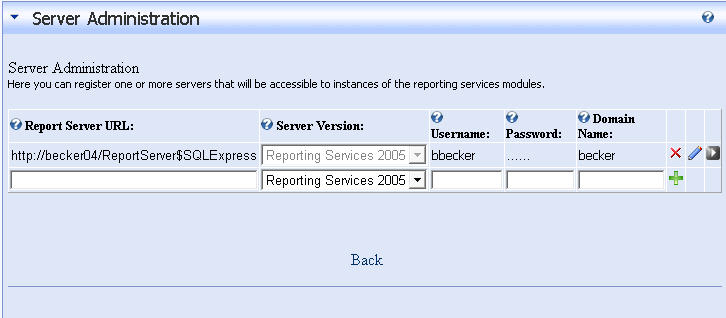
Screenshot DNN SSRS Server Settings
Server version — Matches your SSRS generation so the correct options appear.
Report server URL — Base URL for the report server, or the full path to the Report Server web service (for example http://yourserver/reportserver).
Username — Windows account SSRS will authenticate (typical deployments use Windows authentication).
Domain — Windows domain for that account, when your environment requires it.
Password — Password for the reporting account.
Module configuration
After a server is registered, add module instances to pages and choose which report (or catalog) each instance shows. The screenshot below illustrates the main display and behavior settings.
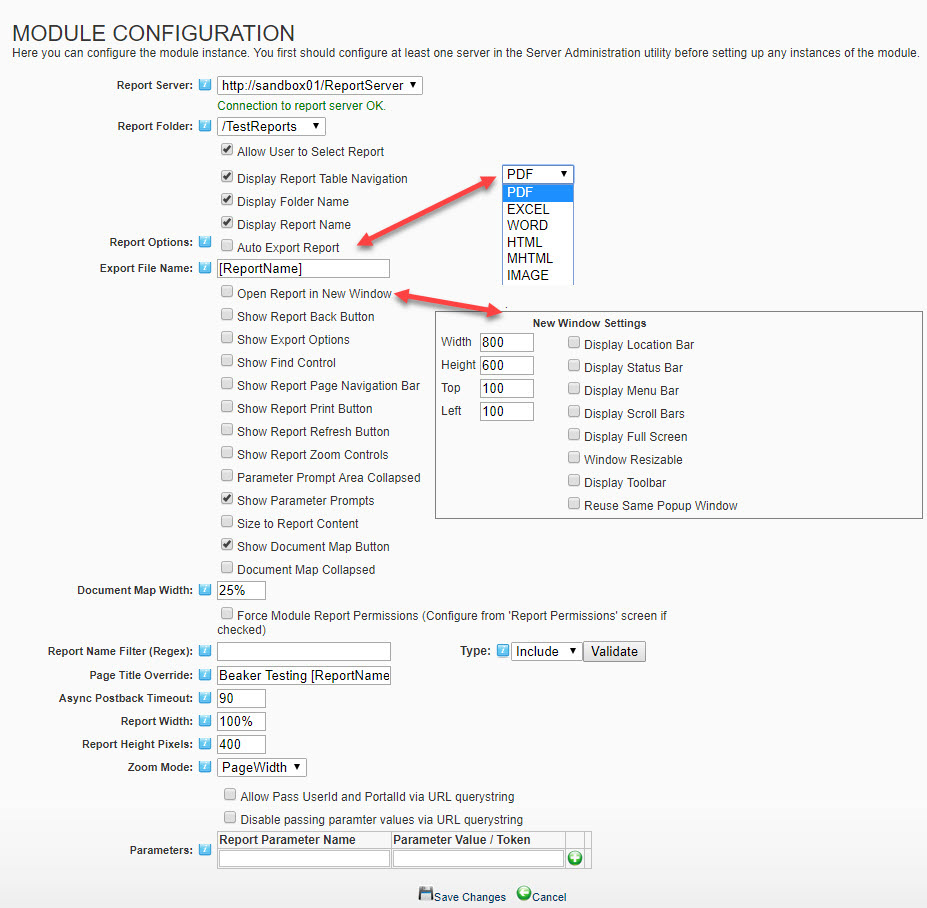
Screenshot Reporting Services SSRS DNN Settings
For field-by-field detail, see the documentation.
Report permissions
When users may choose their own reports, you can map DNN roles to folders and reports so only authorized content appears. The following screenshots show the permission UI.
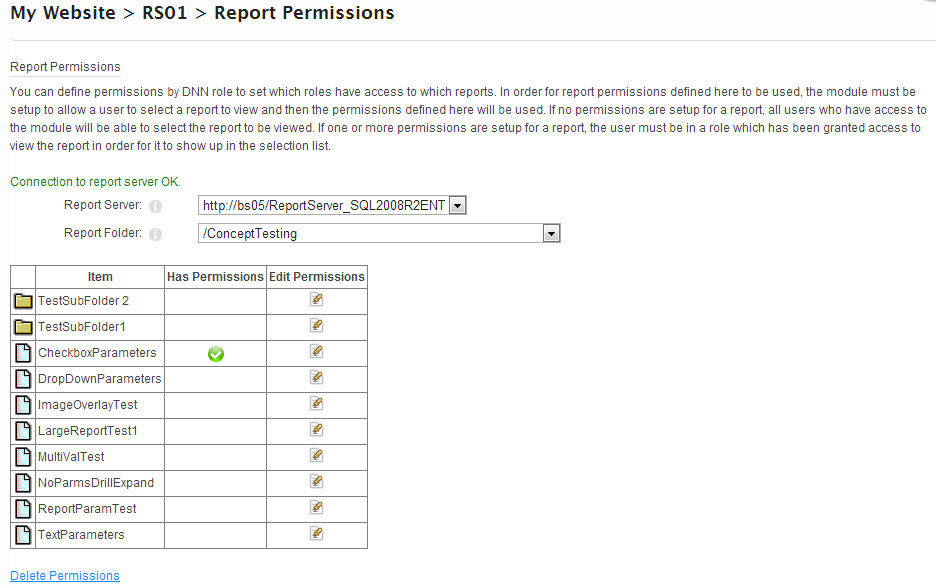
Screenshot Reporting Services SSRS DNN Permissions
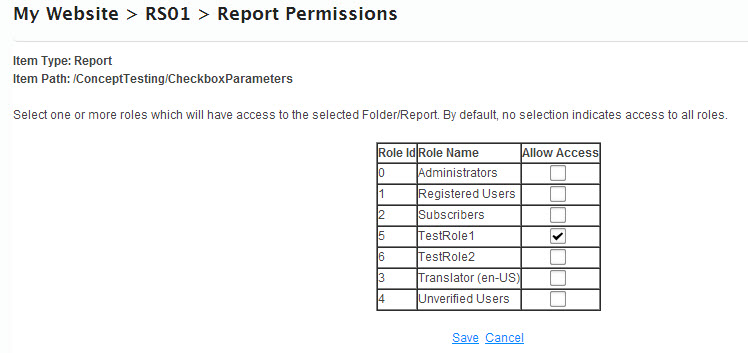
Additional Screenshot Reporting Services SSRS DNN Permissions
Additional screenshots
Report picker view and an example report rendered inside DNN.
Directory listing of SSRS Reports within DNN
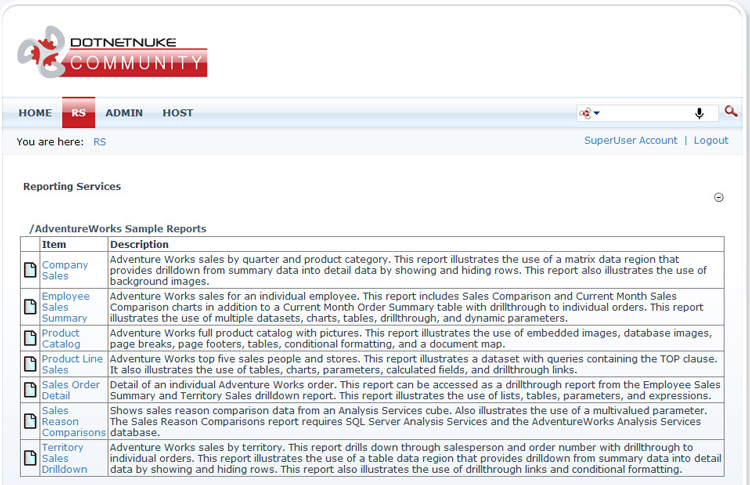
Screenshot DNN SSRS Report Directory Listing View
Viewing sample SSRS Report within DNN
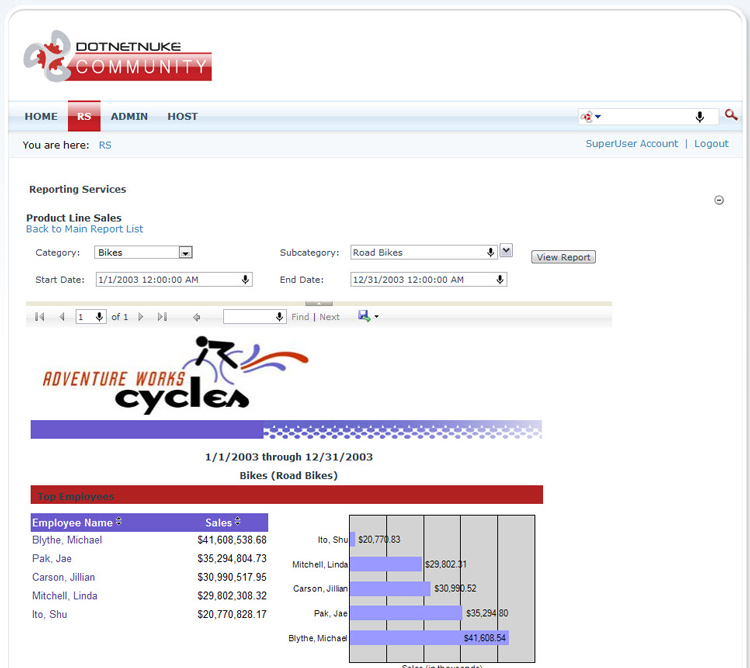
Screenshot DNN SSRS View Sample Report
SSRS 2000 and 2005 are not supported as of module 5.0. Current releases target SSRS 2008 through 2022. Microsoft Azure SQL Reporting (retired by Microsoft) is not supported.
Questions, feedback, or custom work: [email protected]